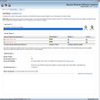
Lightweight firewall tool to block IP ranges, filter traffic, and enhance online privacy
Lightweight firewall tool to block IP ranges, filter traffic, and enhance online privacy
Vote (32 votes)
Program license Trial version
Developer beethink
Version 6.1.0.0
Works under Windows
Vote
(32 votes)
Developer
beethink
Works under
Windows
Program license
Trial version
Version
6.1.0.0
Pros
- Lightweight and low resource usage
- Easy creation of IP, protocol, and port rules
- Automatic and real-time IP list updates
- Supports multiple list formats including .htaccess
- Improved logging and search functions
Cons
- Five-day trial may be too short for thorough evaluation
- User interface is basic compared to some alternatives
- Limited documentation for advanced configuration
Lightweight network tool for blocking IP addresses and managing traffic.
Comprehensive IP Blocking Capabilities
IP Blocker Firewall provides robust options for controlling network access on Windows. Designed to be both straightforward and efficient, it enables users to block individual IP addresses or entire IP ranges with just a few clicks. The intuitive interface allows for easy rule creation and quick adjustments, making it accessible for both beginners and advanced users.
Advanced Filtering and Protocol Control
Beyond basic IP blocking, this application gives granular control over network traffic. Users can specify rules based on protocols and ports, allowing for detailed customization of which types of network connections are permitted or denied. The ability to manage TCP/IP flows between specific devices further enhances its flexibility for tailored network management scenarios.
Automatic IP List Updates and Broad Format Support
Maintaining updated blocklists is simple. The software can automatically fetch and refresh IP lists, ensuring ongoing protection without manual updates. Support for multiple formats, including .htaccess files used by Apache servers, allows users to import or export their preferences easily. This feature streamlines integration with external blacklist sources and extends compatibility with other systems.
Performance and System Resource Efficiency
Attention to lightweight performance is apparent. With a download size of under 2 MB, the tool installs quickly and uses minimal system memory. Its efficient resource management means it remains unobtrusive, even on older or lower-spec systems, while still providing powerful network control.
Updated Features and Usability Enhancements
Recent updates have resolved previous stability issues and introduced useful features such as remote address searching and improved logging. These additions provide better visibility into network activity and simplify troubleshooting, enhancing the overall user experience.
Evaluation and Accessibility
A five-day trial period allows potential buyers to test all major functionalities before purchasing. This offers an opportunity to assess compatibility with specific setups or use cases. The combination of a compact footprint, real-time updates, and versatile blocking features positions IP Blocker Firewall as a valuable utility for users seeking control over network traffic.
Pros
- Lightweight and low resource usage
- Easy creation of IP, protocol, and port rules
- Automatic and real-time IP list updates
- Supports multiple list formats including .htaccess
- Improved logging and search functions
Cons
- Five-day trial may be too short for thorough evaluation
- User interface is basic compared to some alternatives
- Limited documentation for advanced configuration